Now Available โ€” v1.1.1

The Ultimate3D Print & CNC File Manager

Organize, preview, and manage your entire 3D print, laser cut and CNC file library in one powerful desktop app. Built for makers who are serious about their workflow.

STL
OBJ ยท 3MF ยท DXF ยท SVG ยท GCODE
3D
Live Preview
โˆž
Files Supported
2
Devices Per License

Everything you need
in one place

Solar3DP Enterprise Pro gives you a complete file management system for 3D printing, laser cutting and CNC โ€” from organizing thousands of files to launching your slicer in one click.

๐Ÿ–จ
Live 3D & 2D Preview
Instantly preview STL, OBJ, 3MF, DXF and SVG files. Orbit, rotate and zoom 3D models, or pan and zoom 2D laser/CNC designs with full mouse control.
๐Ÿ“
Smart Library
Organize your files into folders, search in real time, filter by format, add notes and material settings per model. Everything saves automatically.
๐Ÿ”
Sweep Drive
Scan any drive and automatically find and organize every 3D print, laser cut and CNC file (STL, OBJ, 3MF, DXF, SVG, GCODE) into a clean folder structure sorted by type.
โง‰
Open in Slicer
Connect your printers and slicers โ€” Bambu Studio, PrusaSlicer, Cura, OrcaSlicer and more. Open any model directly in your slicer with one click.
๐Ÿ—‘
Duplicate Finder
Automatically scan your library for duplicate files and remove them in bulk. Keep your collection clean without manually hunting through folders.
๐ŸŽจ
6 Display Themes
Six built-in themes โ€” Dark, Classic Teal, Light, plus High Contrast, Deuteranopia and Protanopia colorblind-friendly modes. Available across the app and ModularCut Studio. Your choice saves automatically.
ModularCut Studio WINDOWS
Split oversized models into printable parts that fit your bed. Choose connectors โ€” dovetail, pins, magnets, snap-fit, tongue or keyed โ€” and get an assembly guide PDF plus a print-fit report. Mac & Linux coming soon.
Sweep Drive Undo
Moved files you didn't mean to? One click restores everything to its original location. Safe by design โ€” never overwrites, and works even after you restart the app.

ModularCut Studio

Too big for your build plate? ModularCut Studio splits any model into printable parts with real connectors and an assembly guide โ€” built right into Solar3DP. Windows today · Mac & Linux coming soon.
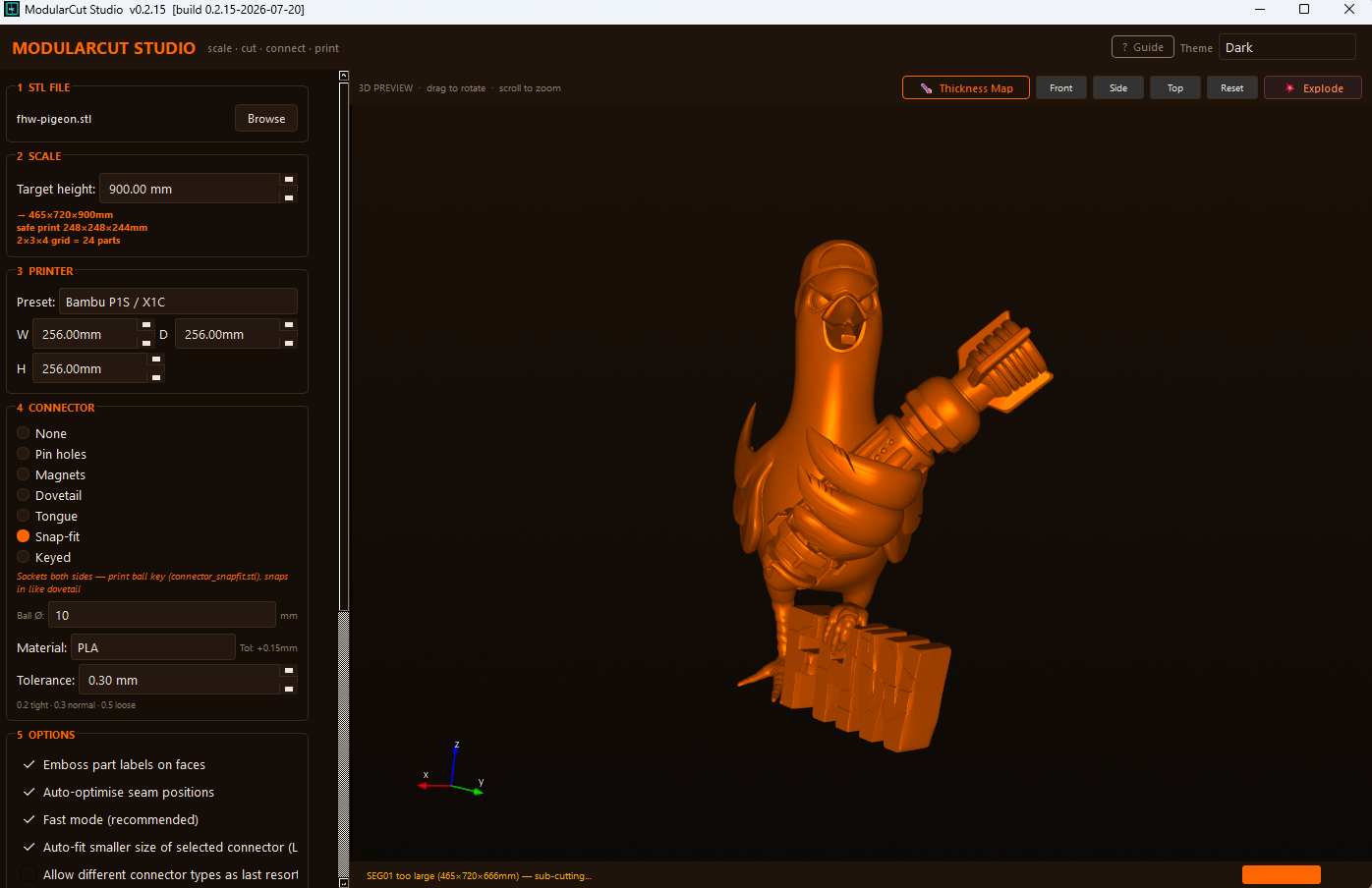
Load your model
1 · Load & scale
Drop in an STL and set your target print size. See instantly how many parts you'll need.
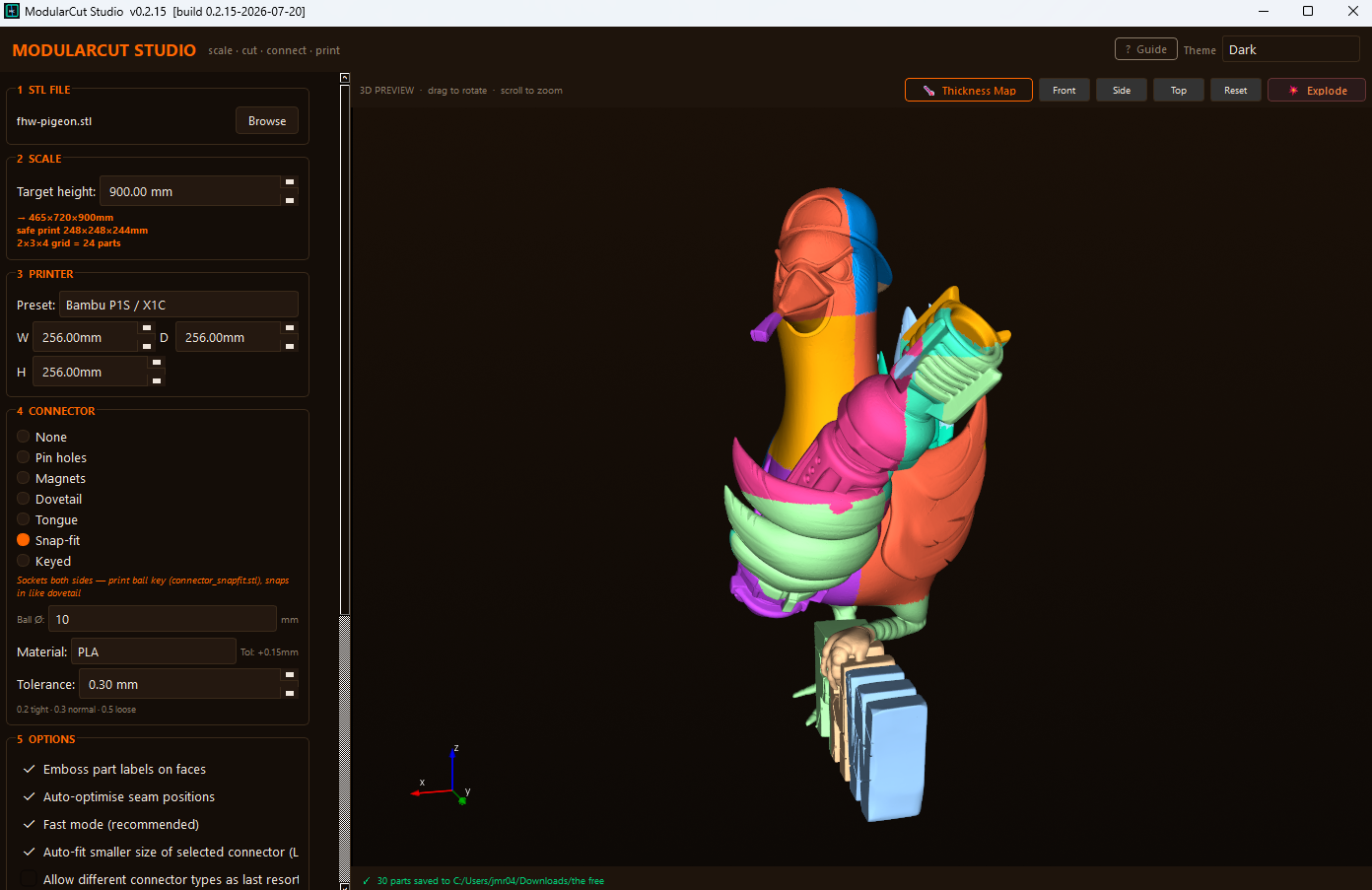
Cut into segments
2 · Smart cut
Cuts at natural seams and adds your chosen connector between every part.
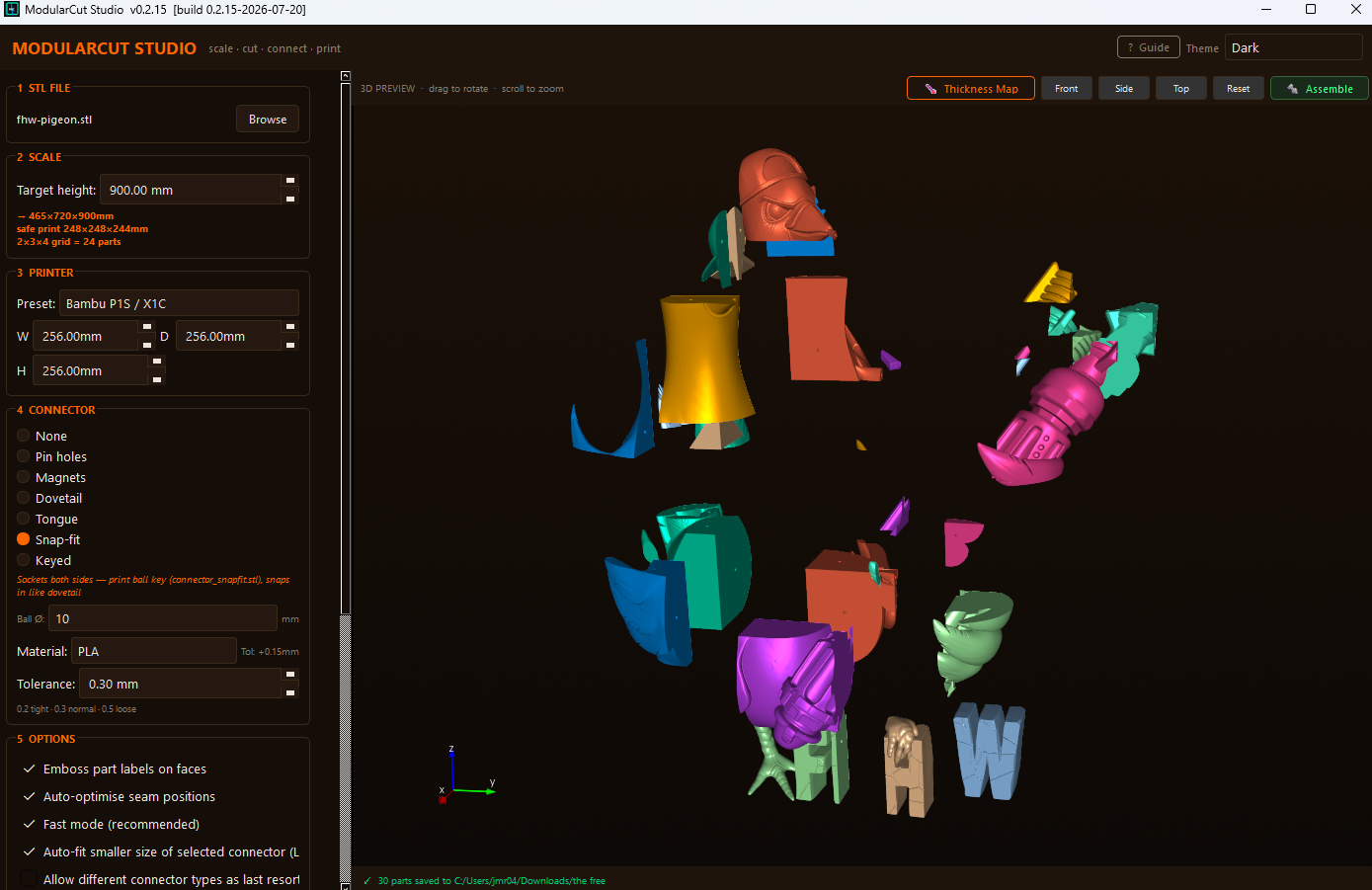
Exploded printable parts
3 · Explode & preview
See every printable piece laid out before you commit โ€” rotate, inspect, adjust.
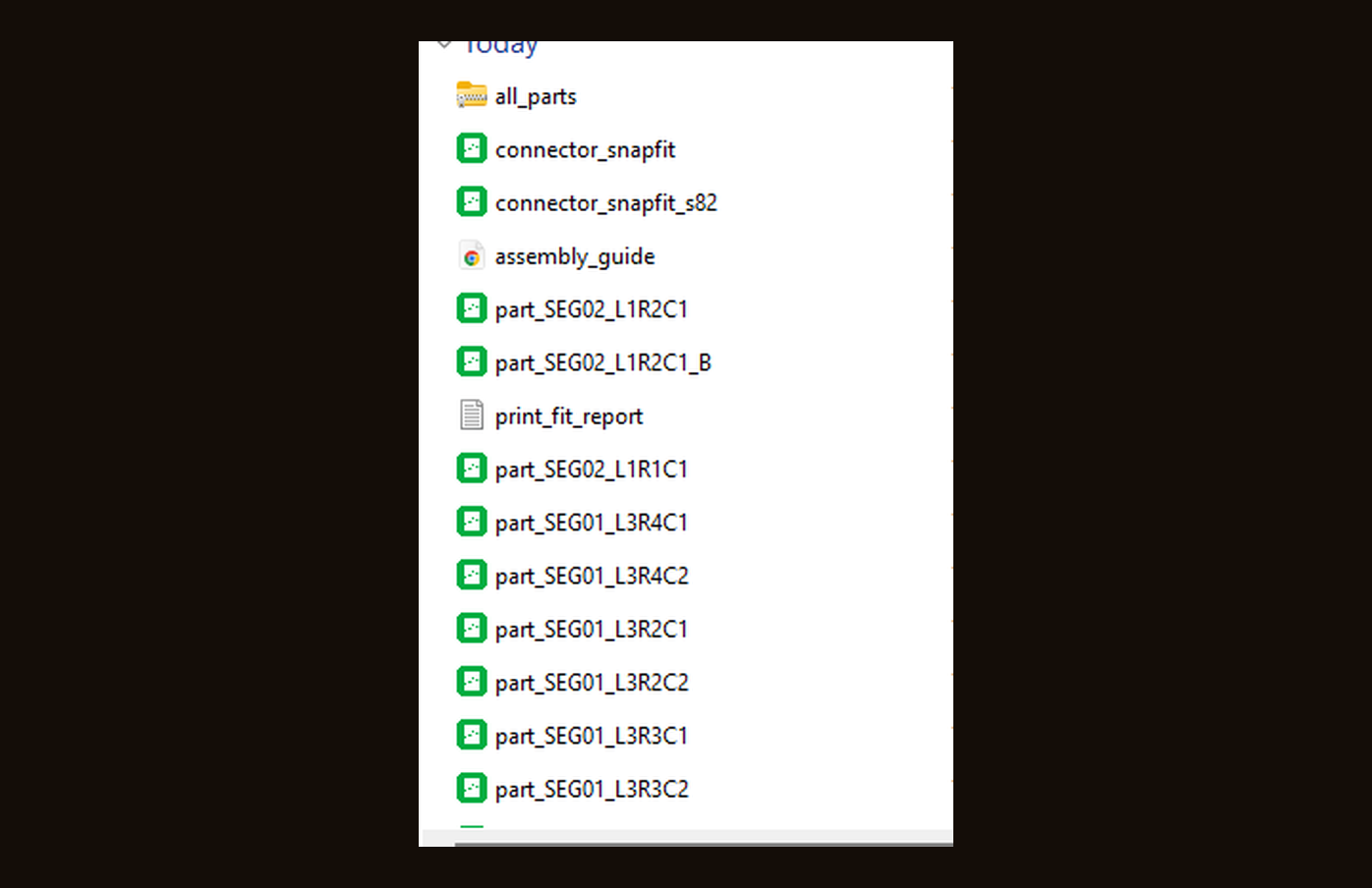
ModularCut output files โ€” one STL per part, connectors, assembly guide and fit report
4 · Print-ready files
You get one STL per part, connector keys, an assembly guide PDF and a print-fit report โ€” all zipped and ready to slice.
Dovetail Pin holes Magnets Snap-fit Tongue Keyed Assembly guide PDF

See it in action

Solar3DP Enterprise Pro
Solar3DP
ENTERPRISE PRO
Search models...?
↑ Upload / Open Files
STL · OBJ · 3MF · DXF · SVG · GCODE
⚭ Sweep Drive for 3D Files
Find & organize all printable files
All
STL
OBJ
3MF
DXF
SVG
GCODE
LIBRARY
Select all
Clear all
▼ 📁 MISC 3
flapv v4
274KBSTL
model (4)_1
23.8MBSTL
flap_1
274KBSTL
Preview ?
Print queue 0
⚭ Sweep Drive
▤ Duplicates
⊕ Display Modes✓ Licensed? Help
ModularCut Analysing model…
Left+orbit · Right+rotate · Shift+pan   Snap:
X+90
X-90
Y+90
Z+90
Z-90
Reset
flapv v4
FormatSTL Size274KB Dimensions73.2×63.5×73.9 mm FolderMisc ▾ Material— ▾ Infill— ▾
D:\3D Print Files\STL\flapv v4.stl
Print settings, reminders, slicer tips...
Save note
↳ Slicer: ✓ ready
▶ Add to queue
⊕ Open in Slicer
✂ Split for printing
📁 Show in folder
🗑 Delete
⚭ Sweep Drive for 3D Printable Files
Scan any drive or folder and automatically move all STL, OBJ, STEP, 3MF, DXF, SVG and G-code files into a single organized "3D Print Files" folder — sorted into subfolders by type.
Step 1 — Choose where to scan
📁 Choose drive or folder to scan
⚠ System folders (Windows, Program Files, AppData) are automatically skipped.
Step 2 — Choose destination
📁 Choose destination
Files will be moved to: D:\3D Print Files\
Step 3 — Scan & Preview
⚭ Scan for 3D files
0
Found
0
Moved
0
Folders
Step 4 — Move Files
Files will be moved (not copied) to the destination folder, organized by type.
✓ Move all 3D files now

Simple, honest pricing

No subscription required. Buy once, own it forever. Or choose a plan that fits your workflow.

๐Ÿ”ฅ Try Solar3DP Free for 24 Hours
No credit card required. Download the app and start your free trial instantly โ€” no account needed.
โฌ‡ Download Free Trial
Monthly
$9.99
per month ยท billed monthly
  • Full app access
  • All 6 features included
  • 2 device activations
  • All future updates
  • Email support
Get Monthly โ€” $9.99
Annual
$49.99
per year ยท save 67% vs monthly
  • Full app access
  • All 6 features included
  • 2 device activations
  • All future updates
  • Email support
Get Annual โ€” $49.99
Not ready to buy? Start a free 24-hour trial โ€” no credit card required. Download now โ†’

Get Solar3DP

Download the app and start your free 24-hour trial. No credit card required. Purchase a license anytime from inside the app.

Version 1.1.1 โ€” Latest Release

Solar3DP Enterprise Pro

Windows ยท macOS ยท Linux โ€” All platforms supported
๐Ÿ›ก
Windows Security Notice
Windows may show a suspicious download warning. This is normal for new software.
1. Click Keep anyway in the download bar
2. If SmartScreen appears click More info then Run anyway
Solar3DP is safe and contains no malware.
๐ŸŽ
macOS Security Notice
macOS may say the app is “damaged and can’t be opened.” This is normal for apps outside the App Store — it isn’t actually damaged. Clear the security tag to fix it:

1. Drag Solar3DP into your Applications folder
2. Open Terminal (Command + Space, type “Terminal”)
3. Type xattr -cr then a space, then drag the app from Applications into the Terminal window and press Return

Terminal won’t show a message — just close it and double-click the app. It’ll open normally from now on.
๐Ÿง
Linux Instructions
AppImage runs without installing โ€” just make it executable first.
1. Right-click the file → Properties → Permissions
2. Check "Allow executing as program"
3. Double-click to run
Or in terminal: chmod +x Solar3DP*.AppImage && ./Solar3DP*.AppImage
Minimum Requirements
Windows 10 64-bit
macOS 12+ / Ubuntu 20.04+
4GB RAM
500MB disk space
Internet connection
Recommended
Windows 11 64-bit
8GB+ RAM
SSD storage
Dedicated GPU
Supported Formats
STL ยท OBJ ยท 3MF
STEP ยท STP ยท ZIP
DXF ยท SVG (laser/CNC)
GCODE ยท NC ยท TAP
Supported Slicers
Bambu Studio
PrusaSlicer ยท OrcaSlicer
Ultimaker Cura
Chitubox + more

Built by makers,
for makers

Solar3DP Enterprise Pro was built out of frustration with the lack of good 3D print file management tools. Files scattered across drives, no way to preview without opening a slicer, no organization system โ€” we decided to fix that.

We built the tool we always wanted โ€” a fast, beautiful, full-featured desktop app that treats your 3D print library like the valuable collection it is.

Solar3DP is built for FDM and resin printers, laser cutters and CNC machines alike, supporting all major file formats and slicers. Whether you have 10 files or 10,000, Solar3DP keeps everything organized and accessible.

๐Ÿ”ฅ

Performance First

Built with Electron and Three.js for smooth 3D rendering even on large files.

๐Ÿ”’

Privacy Focused

Your files never leave your computer. Everything runs locally โ€” no cloud required.

โ™ฟ

Accessible Design

5 built-in themes including colorblind modes. Solar3DP works for everyone.

๐Ÿš€

Always Improving

Regular updates with new features. All updates are free for lifetime license holders.

Get in touch

๐Ÿ“ง

Email Support

solar3dp@yahoo.com

Response within 24 hours

๐Ÿ”‘

License Issues

Lost your key? Email us with your purchase email and we'll resend it immediately.

๐Ÿ›

Bug Reports

Found a bug? Let us know and we'll fix it in the next update.

Common Questions

Can I use Solar3DP on multiple computers?
Yes โ€” each license activates on up to 2 devices. To move to a new machine, deactivate from the old one first via the license badge in the app.
Do I need an internet connection to use the app?
No โ€” once activated, Solar3DP works fully offline. It only needs internet to verify your license, which is cached for 7 days.
What happens when my license expires?
The app will show the activation screen again. Simply renew your subscription and enter your key to continue. Lifetime licenses never expire.
Is macOS supported?
Yes! Solar3DP Enterprise Pro is available for Windows, macOS Apple Silicon and Linux. Download your platform's installer from the download section above.
Does Solar3DP work on Linux?
Yes! Download the AppImage from the download section. No installation needed โ€” just make it executable (right-click โ†’ Properties โ†’ Permissions โ†’ Allow executing as program) and double-click to run. Or in terminal: chmod +x Solar3DP*.AppImage && ./Solar3DP*.AppImage
What Linux distros are supported?
Solar3DP runs on most modern Linux distributions including Ubuntu 20.04+, Debian 10+, Fedora 35+, Linux Mint, Pop!_OS and any distro that supports AppImage. No extra dependencies needed.